How to add a shortcut key for FireFTP to Firefox
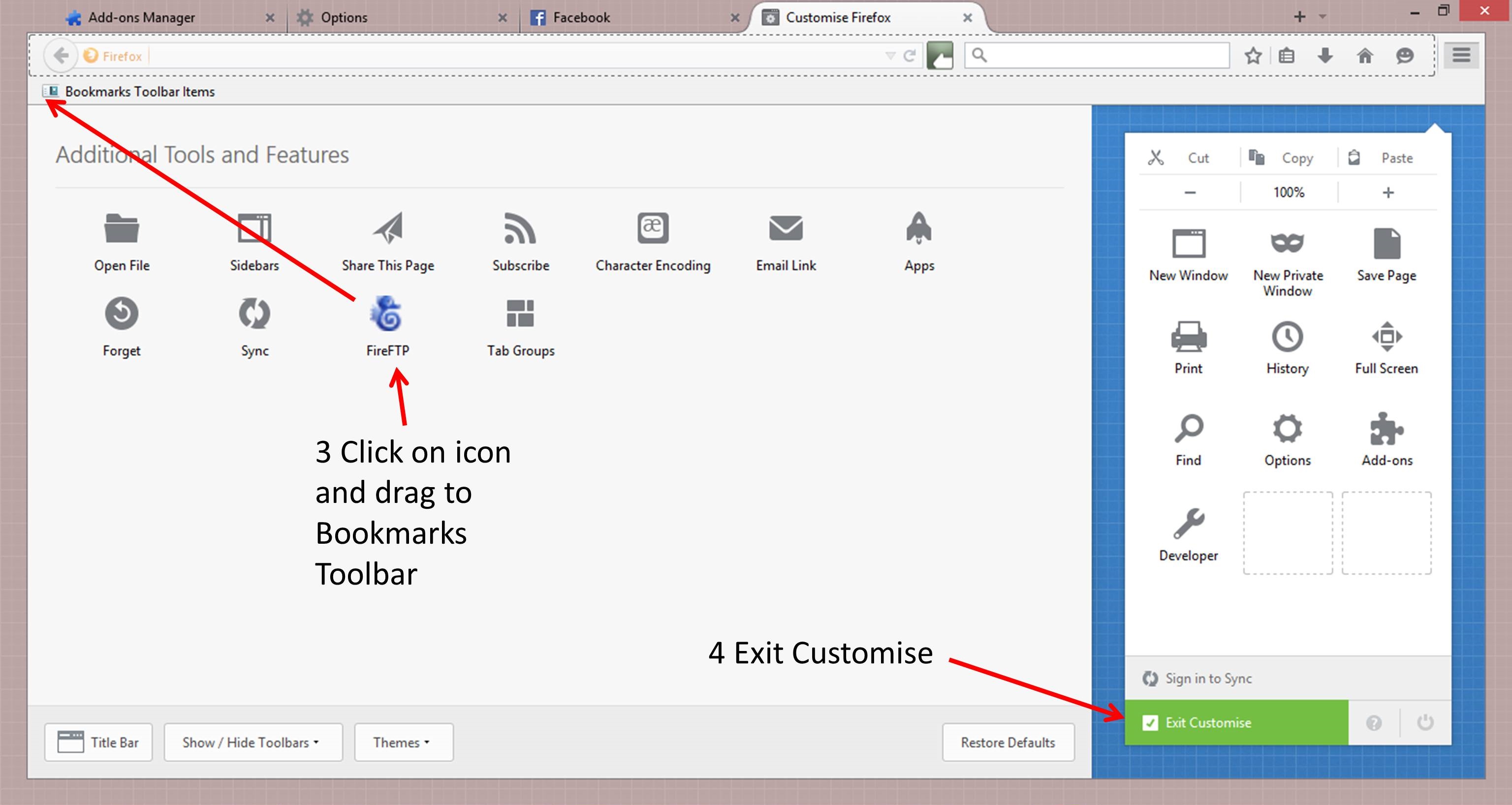
I’ve upgraded Firefox twice since starting this course and both times I have had to add the plugins back again, and then the shortcut button, and both times I have forgotten how. It is covered in the video for lecture 6, but the latest version of Firefox looks different to the video now. For that reason and to save time I have done some screen shots.
- In Firefox click on menu (top right, three lines)
- At the bottom of that box is a customise button
- Select the FireFTP icon and drag it to the toolbar and release
- Exit Customise

Further Reading
Five FTP Connection Issues and How to Fix Them (robpercival.co.uk)







Recent Comments