Links Library Plugin and Picking a Damn Theme
I have in the past used delicious for social bookmarking, well not so much for the social part but to allow me ot see my own bookmarks across all devices. It used to have a really cool firefox side bar plug in that made it very useful, but they stopped supporting that and since then I have not relly been using delicious for book marking.
I was thinking that for this course I need to be keeping a track of the useful sites and resources so wanted to add links to this blog. In the wordpress.com blogs that I have used before this facility is just one of the options on the dashboard, but apparently not in the self install.

Message when made first post with Hueman theme telling me to install plugins
So I had a search on plugins as a first step exercise. I like the look of Link Library as it seems to do the thing I have used before of being able to categorise links and then use those categories to filter and do something with the output.
I went through the Add New Plugins on the dashboard menu, did a search for things available, read up a it about them, picked this one, then clicked install now button then Activate Plugin link. Now it is installed I would say this is the plugin preinstalled on wordpress.com
Think I need to practice downloading and installing a theme but a free one. I decided to go for Customizr thinking it will allow me to practice with the customising options. The description has mentioned Twitter bootstrap which makes me think I need to go back to those lessons before I go down the custumising route, but for today I want to try to download in install the theme.

The Plugins Install screen, selected all, bulk action install and then apply
That was simple, but once installed I decided I didn’t like the theme – I think I have an aversion to sliders – they are too distracting. The theme has a lot of customising options as it says on the tin but I don’t like that I have to make the menu tiny to be able to see all the options (designed for a bigger screen than my laptop and younger eyes?)
The other two that caught my eye are Spacious and Hueman, but as always happens when you start looking at themes you get sucked in. I think you do need to have some understanding of design and what look and style is appropriate for a business. Spacious is too bare.
This blog is likely to be mostly text as I don’t want to spend lots of time looking for images as well (although I do have a ready supply of free images from deathtostock photos). I hate slider and website that are one big image to start and you have to scroll down to find any content. I am drawn to magazine style and photo grids but that requires the photos.
Right Hueman it is for now.
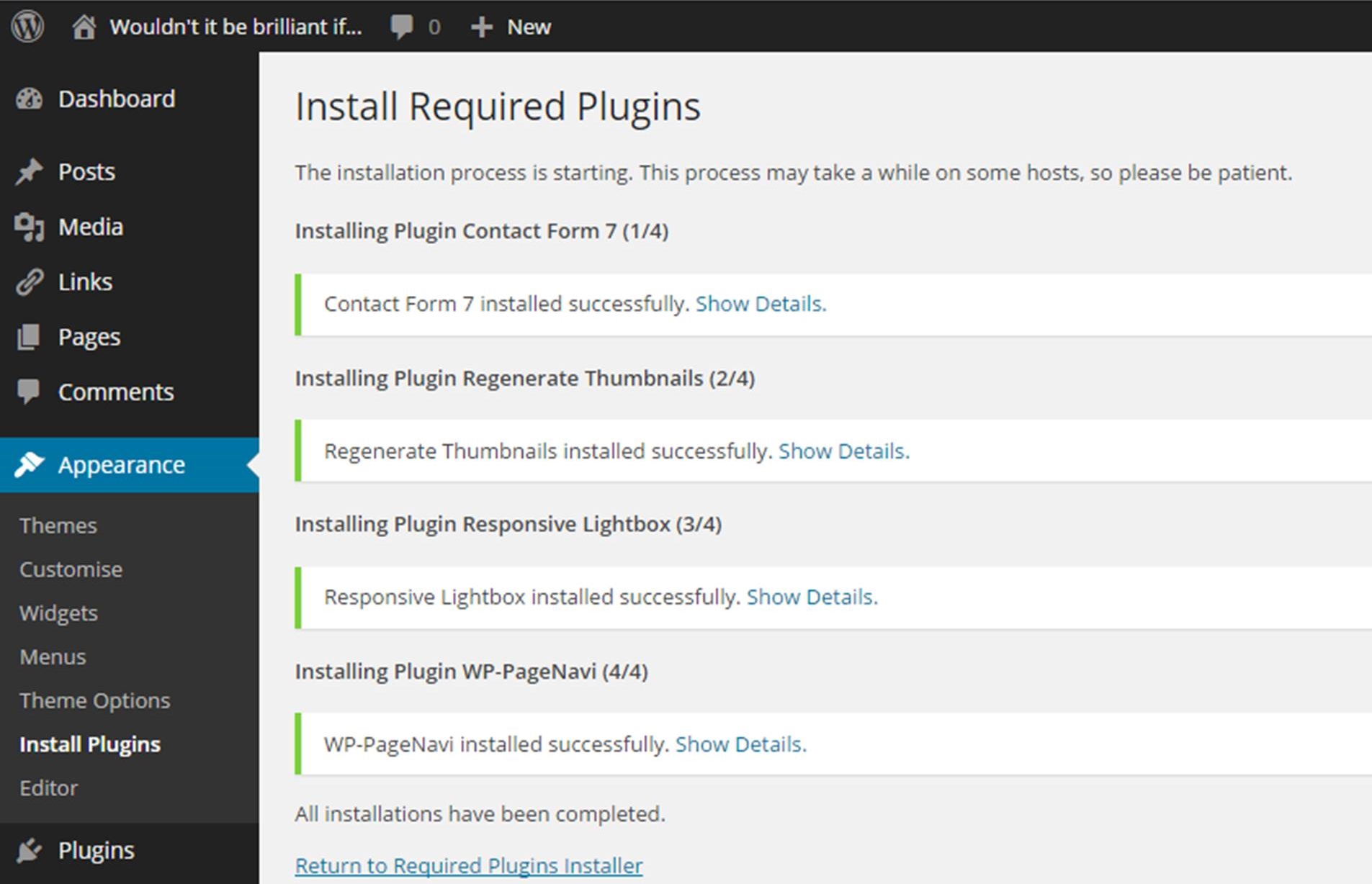
Recommended plugins for Hueman theme all installed





Recent Comments