Study Record: Javascript
I’m working my way slowly through the Javascript section, but at the same time embedding some of the CSS knowledge. I am liking the hands on challenges in this section more than the BBC website CSS, because there is some interaction programming involved and therefore thinking through of the logic. The simplified tasks are stimulating other creative ideas and possibilities how to apply the same principles.
By the way as an aside, I have just broken off writing to set the feature image of this post and I have been using free images from Death to Stock Photos. These are free to use without any restriction on crediting back, but I am anyway. I am not particularly linking the image to the content of the post just using them to make the site more visually interesting for the time being and by putting them in as I go along it will allow me later to try out other WordPress themes or play around with this one, to get the feature image to display in different ways. But I am running out of images from the selection I have that are actually vaguely appropriate to topic. Other are beach and holiday related. It does make me think about the stock images issue.
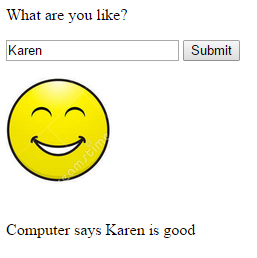 For the numbers game challenge, I decided instead to make it a bit more complicated with an Array with words in it – six words and then use the random number generation to pick an item from the Array. In the Array there are 3 positive and 3 negative words. You input a name click on the submit button and the output is “Computer says “[name]” is “[Array word]. To make it more interesting than just that I added in two images, a smiley face and a sad face and made these background div images and then added in some if conditions, so for the 3 positive words a smiley face appears and for the 3 negative words a sad face appears. So far I have got it so that all works, but it still does not look pretty and also I need some way of it auto refreshing if you put another name in the box.
To make it prettier I’d like to put a box around the whole thing with rounded corners and put it in the centre of the page, use better font and change the emoticons since I just screen grabbed the first I could find and they do have a copyright associated with them. So I am going back to refine that as I get ideas how to actually implement the improvements that I have in mind.
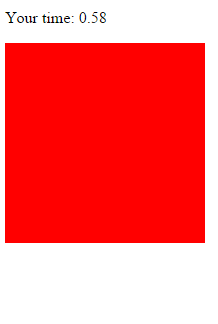
I have finished watching lecture 99 working along with it to do the reflexes game. So far I have a red box that appears and then disappears when you click on it and gives the reaction time at the top. The next step is to make it move. I can imagine that involves some variable for the amount of padding that is then randomised.





Recent Comments